Free AI Image Detector

Simply drag and drop your profile pictures and product photos to identify real or AI-generated images in real time.

Content

Drag & drop or upload an image

JPG · JPEG · PNG · WEBP · max 10 MB

Detected then deleted · Reports are independently verifiable

Result

Upload an image to start

Drop a file on the left, or pick one of the sample images.

Try one of our sample images

Know for Sure. Is It AI or Human?

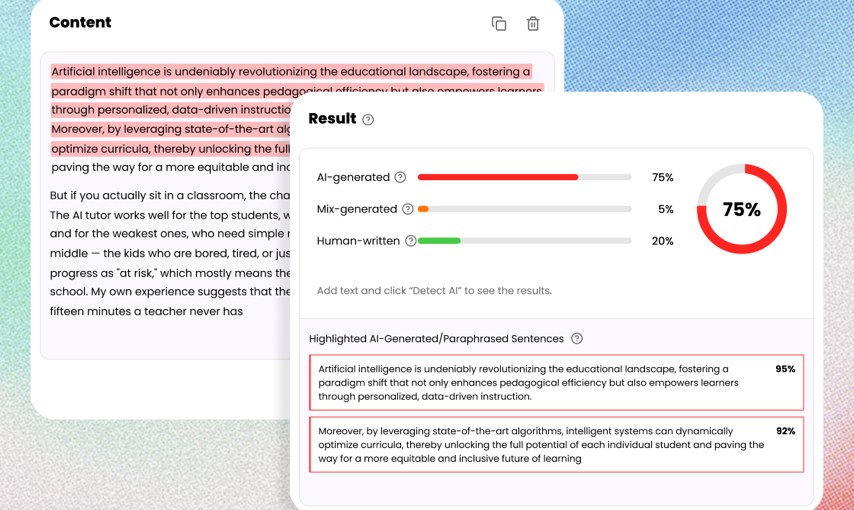
Uncover the truth behind any text. Use our free AI detector to instantly analyze and verify whether content is human-written or AI-generated.

Detect AI

Top3AI Image Detection Tool

500K+Images Checked Monthly

4.9Average User Rating

Detect AI photos, artwork, and visual content

Detect AI Photos, Art & Visual Content

Whether you are checking an AI photo, digital artwork, illustration, product image, portrait, or social media graphic, our AI image checker helps you assess whether the visual content may have been generated or altered with AI.

Check if an image is AI-generated

Check If an Image Is AI-Generated

Wondering whether a picture is real or AI-generated? Upload your image and our AI Image Detector analyzes it for visual patterns and signals associated with synthetic content, helping you make a more informed assessment.

Check images from major AI generators

Check Images from Major AI Generators

Detect potential AI-generated content created with popular tools such as Midjourney, DALL·E, Stable Diffusion, Nano Banana, Adobe Firefly and other generative AI platforms.

Analyze subtle AI image artifacts

Analyze Subtle AI Image Artifacts

AI-generated images can contain patterns that are difficult to spot with the naked eye. Our detector examines image-level characteristics such as texture, edges, color consistency, lighting, and other visual signals to identify potential signs of AI generation.

How to Check If an Image Is AI Generated

Step 1: Upload an Image

Drop a JPG, PNG, WebP, or HEIC file into the AI image checker. You can also start with a sample image to see how the scan works.

Step 2: Run the AI Image Scan

Click Detect Image. Lunote checks visual patterns, AI probability, human probability, metadata, and available provenance signals.

Step 3: Review the Verdict

See whether the image is likely authentic, likely AI-generated, or needs deeper review with an advanced report.

Detect AI Images in Common Use Cases

News & Fact-Checking

Check whether viral photos, breaking-news visuals, or user-submitted images are likely AI-generated before publishing or sharing them. AI image detection provides an additional verification signal for journalists, editors, and fact-checkers.

Spot Fake Photos on Social Media

Check suspicious images, profile photos, social media posts, and AI-generated visuals before you trust or share them. Quickly identify images that may have been created or manipulated with generative AI.

Verify Product and Listing Images

Identify your product photos, marketplace listings, and seller-submitted visuals for potential AI generation. AI image detection can help businesses identify suspicious images and add another layer of trust and safety to online marketplaces.

Check Suspicious Profile Photos

Do you want to know if a profile picture is real or AI-generated? Analyze dating photos, social profiles, headshots, and other identity-related images for potential signs of synthetic generation before engaging or making important decisions.

Check AI Images From DALL-E, Midjourney, Stable Diffusion, and More

AI image generators leave different visual signals. Lunote helps you review images that may come from popular generators such as DALL-E, GPT Image, Midjourney, Stable Diffusion, Flux, Ideogram, Bing Image Creator, Nano Banana, Adobe Firefly, and GAN-based tools.

You do not need to know which model created the image first. Upload the image and Lunote will analyze visual patterns, AI probability, human probability, metadata, and available provenance signals.

GPT Image 2

Nano Banana 2 & Pro

Midjourney

GANs

Stable Diffusion

Ideogram

Flux

Bing Image Creator

Why Choose Our AI Image Detector

Deep Visual Analysis

Scan pixel patterns, lighting, textures, edges, and visual inconsistencies to catch images that may look real but were created or altered by AI.

EXIF Metadata Inspection

Review hidden file details such as camera data, timestamps, editing software, and missing or inconsistent metadata that can signal synthetic or edited images.

C2PA Credential Check

Check content credentials and provenance signals to see whether an image carries a trusted creation or editing history.

AI Watermark Detection

Look for known AI watermark signals from modern image generators while keeping the result practical and easy to understand.

Clear AI Probability Score

Get a direct AI probability score instead of a vague guess, so you can quickly judge whether an image is likely real, AI-generated, or needs deeper review.

Basic or Advanced Scan

Use Basic Scan for quick image checks, or Advanced Scan when you need a deeper review with more detection evidence.

Works Across Major AI Generators

Check images from Midjourney, DALL-E, Stable Diffusion, Flux, Ideogram, ChatGPT image tools, Meta AI, and other popular generators.

Private Image Review

Upload sensitive visuals for analysis with a privacy-first workflow, ideal for documents, IDs, receipts, product photos, and review materials.

Who Is Our AI Image Detector For?

Make clearer authenticity decisions for publishing, marketplace review, identity checks, education, and visual evidence analysis.

Content Creators

Check visuals for articles, video covers, and social posts before publishing content that may be AI-generated or altered.

Design and Marketing Teams

Review ad creatives, brand visuals, and externally supplied design assets before using synthetic images in a campaign.

Marketplace Operations

Inspect product images, seller profiles, payment proof, and refund evidence before making platform decisions.

Trust and Safety Teams

Spot suspicious avatars, identity images, and user-submitted visuals when reviewing fake accounts or abuse reports.

Researchers and Educators

Review image provenance in research and coursework while teaching how synthetic media affects content authenticity.

Professional Reviewers

Combine AI probability, metadata, and provenance signals when examining documents, receipts, and visual evidence.

What People Say About Our AI Image Detector

Maya R.

College Student

AI images can look completely real. Lunote helps me identify which visuals need a closer source check before I use them in a presentation.

Ethan C.

High School Teacher

Students see realistic AI images every day. Lunote helps us question what we see and look for evidence before accepting an image as real.

Sofia M.

Graphic Designer

AI-generated assets can easily go unnoticed. Lunote helps me review questionable images before they affect the quality or credibility of our client work.

Noah K.

Content Moderator

I review thousands of submitted images. Lunote helps me prioritize suspicious content, so I can focus on the cases most likely to mislead people.

Alicia P.

Online Seller

Supplier photos can look professional but still misrepresent a product. Lunote helps me know when to request original images before publishing a listing.

More Tools to Humanize, Rewrite, and Check AI Text

Rewrite AI-generated drafts, improve readability, adjust wording, and check whether the final text still looks AI-written before you publish or submit it.

AI Detector

AI Humanizer

Undetectable AI

Ask AI

YouTube Transcript

Frequently Asked Questions

An AI detector is a tool that analyzes text to determine whether it was generated by artificial intelligence models such as ChatGPT, GPT-4, Claude, or other large language models. It examines writing patterns, sentence structures, word choices, and linguistic signals to estimate the likelihood that content was created by AI.

AI detectors help educators, businesses, publishers, and content creators verify content authenticity and maintain trust in digital communication.